 Skip to content


A dead thermostat battery is one of the most common causes of a sudden HVAC system “failure.” Fortunately, replacing the batteries in a Honeywell thermostat is a simple DIY task that takes less than five minutes and helps keep your home comfortable.
Key Points
- Warning Signs: Most Honeywell models display a “BATT LO” or a battery icon about 60 days before they die.
- Battery Type: Typically AA or AAA alkaline batteries. Do not use rechargeable batteries, as they lose voltage too quickly.
- Frequency: Change them once a year to prevent corrosion and system interruptions.
- Direction: Note the (+) and (-) orientation before removing the old pair.
How do I change the batteries in my Honeywell thermostat?
To change the batteries, you generally need to pull the thermostat body off the wall-mounted baseplate or press a release button on the top or side to pop out the battery drawer. Once the compartment is accessible, remove the old alkaline batteries and replace them with fresh ones, ensuring the polarity (+/-) matches the markings. Snap the unit back into place, and the screen should refresh within seconds.
How to Identify Your Honeywell Battery Compartment
Honeywell has produced dozens of models over the decades, and the battery location varies by series.
1. Top-Slide or Side-Drawer Models
Many modern Honeywell Home models have a “push and pull” drawer. You do not need to remove the thermostat from the wall. Simply look for a tab at the top or on the side that says “Push” or shows a battery icon.
2. Removable Faceplate Models
For older or more basic models (like the 1000 or 3000 series), you must gently pull the entire thermostat body away from the wall plate.
- Pro Tip: Use a firm, steady pull. The wiring stays attached to the wall plate, while the batteries are tucked into the back of the thermostat unit itself.
Step-by-Step Honeywell Battery Replacement


Step 1: Locate and Open
Find the battery door or remove the unit from the wall. If it doesn’t budge, check for a small screw at the bottom securing it to the plate.
Step 2: Note the Polarity
Before popping the old batteries out, look at the symbols inside the tray. Honeywell thermostats are sensitive to polarity; putting them in backward can prevent the unit from powering on or damage the screen.
Step 3: Insert New Alkaline Batteries
Use high-quality AA or AAA alkaline batteries. According to Honeywell Home support, using lithium or rechargeable batteries can cause inconsistent performance or inaccurate temperature readings.
Step 4: Reattach and Test
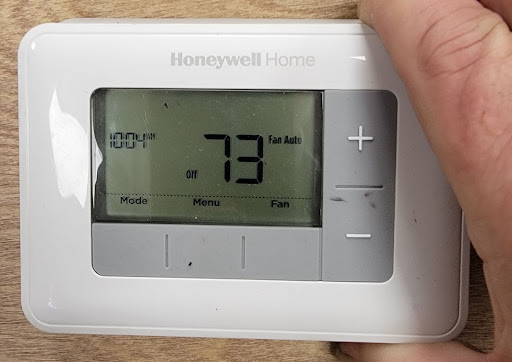
Snap the cover or drawer back into place. You should hear a click. The screen should light up, and the “Low Battery” warning should disappear.
What if the Thermostat Still Won’t Turn On?
If you’ve swapped the batteries and the screen is still blank, try these troubleshooting steps:
- Check the Circuit Breaker: Your HVAC system may have tripped a breaker. A thermostat often relies on 24V power from the furnace in addition to batteries.
- Inspect the Pins: Ensure the metal pins on the back of the thermostat are straight and making contact with the wall plate.
- Check the Furnace Door: Most furnaces have a safety switch. If the furnace panel isn’t closed completely, the thermostat won’t receive power.
When to Call the Pros at Environment Masters
If fresh batteries don’t bring your system back to life, the issue might be a blown fuse on the control board or a failed transformer. Attempting to DIY electrical repairs can be dangerous and lead to more costly damage.
If you’re having trouble with your thermostat or indoor air quality in Jackson, MS, Environment Masters is here to help. Contact us today to schedule a professional diagnostic and keep your home comfort on track!
Honeywell Thermostat FAQs
How long do Honeywell thermostat batteries last?
While they can last up to 2–3 years, experts recommend changing them annually. This prevents the batteries from leaking acid, which can destroy the thermostat’s internal circuitry.
Does a Honeywell thermostat lose settings when batteries are changed?
Most Honeywell models have a non-volatile memory, meaning they will keep your schedule and clock settings for several minutes while you swap the batteries. If you take longer than 1–2 minutes, you might need to reset the time.
Why is my thermostat blinking “Wait”?
This is a built-in safety feature to protect your AC compressor. It usually lasts 5 minutes to prevent the system from turning on and off too quickly (short-cycling).